

H & J memo inhouse and drop

H – Inhouse Memo
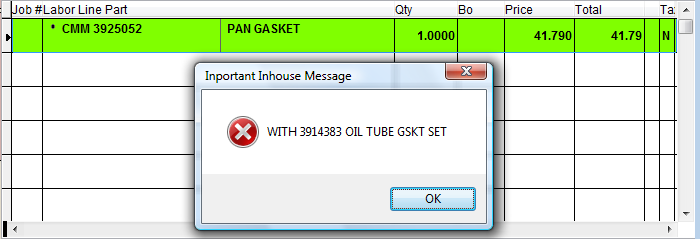
Items with the H memo and a note setup in the Inventory Management screen (under Notes) will display the note as an Important Inhouse Message and pause at point of sale. Useful on reminders to salespeople or alerts on additional parts or accessories that are needed or available for the part being sold. See the below example of the displayed message at point of sale, the message will not print.
J – Drop Message
Items with the J memo and a note setup in the Inventory Management screen (under Notes) will allow that note to print.
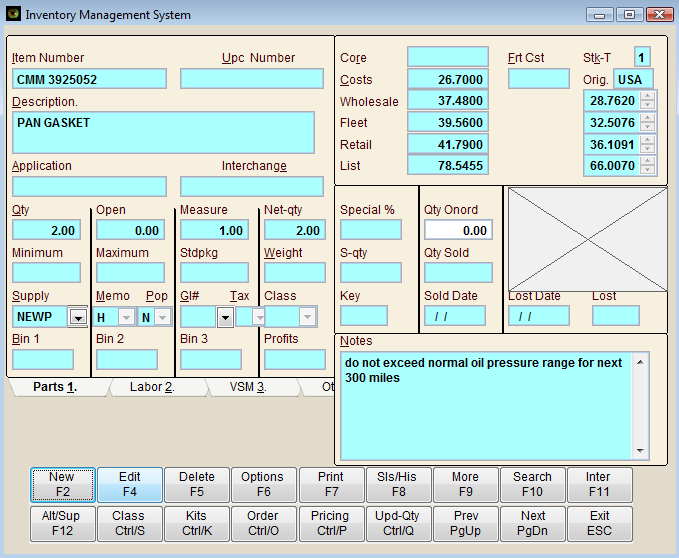
Above is an example of the item with a J memo and the Notes field, below is an example of how that note will print out on the sale.

Y – Yes Prompt for Note
The Y memo means that when the part is sold, a line will be opened allowing a memo (notation) to be entered. This is used for serial numbers, reminders, warnings... whatever you need.
If an * precedes the memo, such as *S/N ABC123, the first 35 characters will track to the Customer File area under Notations.

